PROJECT
/2017/ARCHIVED/Waffle
An anomaly-based Web Application Firewall that learns a site's normal behavior as a graph and blocks requests that do not fit.
KEYWORDS:
+7
Waffle is a Web Application Firewall (#waf). Most WAFs ship with a fixed set of rules and match each request against them, so they only catch attacks someone has already written a rule for. WAFFLE takes the other route. It learns what normal traffic looks like for one specific web application and treats anything that strays too far from that as an attack. Because the decision rests on #anomaly-detection instead of a signature list, it catches both known and unknown #web-security attacks.
WAFFLE is written in #python and runs as a #proxy between the client and the web server. It could also live inside the server as a module, but running it as a proxy keeps it independent of the web platform behind it, so the same firewall can sit in front of any stack.
It works in two modes:
- •Firewall. Bad requests are dropped before they reach the server, and the user gets a 403 page back.
- •Detection (#ids). The proxy only watches. It analyzes each request, writes an event when something looks suspicious, and otherwise stays out of the way.
Architecture
WAFFLE has four parts: the proxy, the filters, an event and log database, and a management interface.
Loading diagram...
The behavior model
Before WAFFLE can block anything, it needs a picture of what normal looks like. That picture is a graph. Each node is a page, and each edge is a transition a real user made from one page to another. Every edge also keeps a count of how often that transition happened, so the graph turns into a statistical model of how people actually move through the site.
Loading diagram...
When a request comes in, the system compares it against this model. If the difference crosses the configured thresholds, the request is flagged as an attack and an alert fires. In firewall mode the request is also blocked and the user is sent a 403 page.
The transition control filter is the clearest example. Say a user jumps from
/ to /login. The filter checks whether an edge for that transition exists in the graph. If there is no edge, it raises an event. If the edge does exist, WAFFLE runs the traverse possibility filter to see whether the target is a rarely visited node, which on its own can be a sign of probing.Filters
Detection is a chain of filters. Each one inspects a different part of the incoming request and checks it against the behavior model. A filter carries its own metadata: a reason message, an event code, a severity, a priority, a block-or-pass flag, and the parameters it needs. It also holds two methods:
perform, which runs the actual check, and action, which runs when the check trips.The traverse possibility filter is a good walk-through. It calculates the traverse possibility between the user's last node and current node, then checks whether the threshold is exceeded. If it is,
perform returns True to the control manager, and the control manager runs the filter's action with the new event object. An action can do something useful, like add the user's IP to a blacklist table.The filters lean on a fixed set of HTTP properties pulled from each request:
| Property | Example |
|---|---|
| Path | /product/view |
| URI | /product/view?id=25 |
| Verb | GET, POST |
| Response code | 200, 301 |
| Parameter keys | msg=, email= |
| Parameter values | 'hello', 'example@example.com' |
| Parameter sizes | len('msg'), len('email') |
| Parameter entropies | entropy('hello'), entropy('example@example.com') |
These are the filters shipped with the system:
| Filter | Code | Severity | Priority | Blocks |
|---|---|---|---|---|
| SessionLimit | SLE | Critical | First | Yes |
| PassiveDetailsChange | PDC | Low | Low | No |
| LinkBetweenNodes | LBN | Critical | High | Yes |
| RequestExistence | REA | Critical | High | Yes |
| TraversePossibility | TRP | Medium | Mid | No |
| ParamValueLength | PLA | Low | Low-Mid | No |
Request life-cycle
Every request runs through the same four stages, in order.
Loading diagram...
Session handling comes first and keeps the proxy stable. WAFFLE creates a unique session id and stores it in the user's browser as a cookie, then checks that cookie on every request. If the value does not come back correctly, it issues a new one. Once the session is settled, the filters run in order of priority.
Management interface
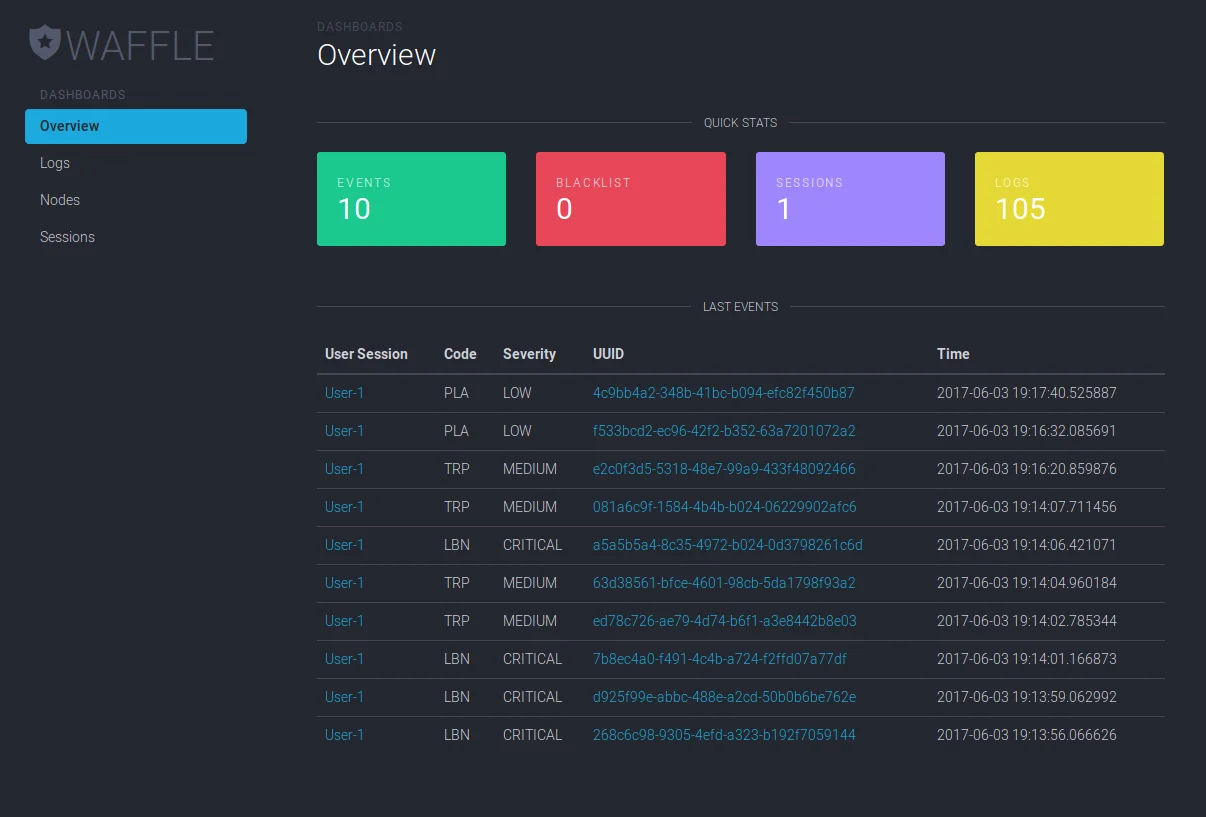
WAFFLE ships with a #flask management interface for the day-to-day work: browsing events and logs, inspecting nodes in the behavior graph, and banning an IP address by hand.
Management interface dashboard